
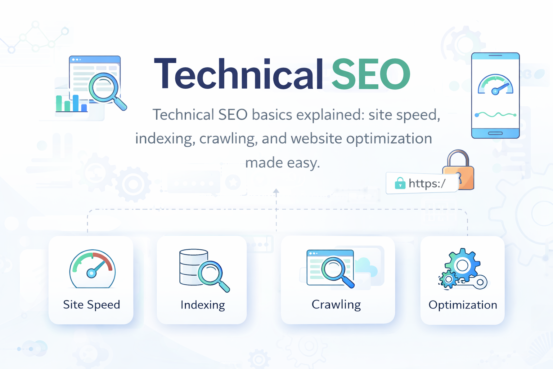
Technical SEO Explained: A Simple Guide for Beginners
Technical SEO may sound complicated, but it’s really about helping search engines access, understand, and index your website properly. Without strong technical SEO, even the best content may struggle to rank on Google.
What Is Technical SEO?
Technical SEO focuses on optimizing the backend structure of your website so search engines can crawl, index, and rank your pages efficiently.
While on-page SEO improves content and off-page SEO builds authority, technical SEO makes your website searchable and usable.
👉 In short:
No technical SEO = no visibility.
Why Technical SEO Is Important
- Helps search engines crawl your website smoothly
- Improves website speed and performance
- Enhances user experience
- Prevents indexing and ranking issues
- Supports higher search engine rankings
Google favors websites that are fast, secure, and easy to navigate—all core parts of technical SEO.
Key Elements of Technical SEO (Briefly Explained)
1. Website Crawling
Crawling is how search engines discover your pages.
- Search bots scan your website links
- If crawling is blocked, pages won’t appear in search results
Tip: Make sure important pages aren’t blocked by robots.txt.
2. Website Indexing
Indexing is when Google stores your pages in its database.
- Crawled pages must be indexed to rank
- No index = no traffic
Tip: Use Google Search Console to check indexed pages.
3. Site Speed Optimization
Fast websites rank better and convert more users.
- Slow loading increases bounce rate
- Google considers speed a ranking factor
Tip: Compress images and use caching to improve speed.
4. Mobile-Friendliness
Most users search on mobile devices.
- Google uses mobile-first indexing
- Your site must work smoothly on phones
Tip: Use responsive design for all screen sizes.
5. Secure Website (HTTPS)
Security builds trust for users and search engines.
- HTTPS encrypts user data
- Google prefers secure websites
Tip: Install an SSL certificate for HTTPS.
6. XML Sitemap
An XML sitemap helps search engines find all important pages.
- Acts like a website map for bots
- Improves crawling efficiency
Tip: Submit your sitemap in Google Search Console.
7. Robots.txt File
Robots.txt tells search engines which pages to crawl or ignore.
- Helps control crawl behavior
- Prevents unnecessary page indexing
Tip: Don’t block important pages accidentally.
8. Fix Broken Links & Errors
Broken links hurt both SEO and user experience.
- 404 errors confuse users
- Search engines reduce trust
Tip: Regularly audit your site for broken links.
9. URL Structure
Clean URLs are easier to understand.
- Short, readable URLs rank better
- Avoid unnecessary symbols and numbers
Good Example:techbin.com/technical-seo-guide
10. Duplicate Content Handling
Duplicate content confuses search engines.
- Multiple URLs with same content dilute rankings
- Canonical tags solve this issue
Tip: Use canonical URLs to avoid duplication.
Technical SEO Tools You Should Use
- Google Search Console – monitor crawling and indexing
- Google PageSpeed Insights – analyze site speed
- Screaming Frog – technical SEO audits
- GTmetrix – performance testing
These tools help identify and fix technical SEO problems quickly.
Common Technical SEO Mistakes to Avoid
- Blocking important pages in robots.txt
- Ignoring mobile optimization
- Not using HTTPS
- Slow page loading speed
- Missing XML sitemap
Fixing these mistakes can lead to instant SEO improvements.
want to know how to make a website? click here!
Final Thoughts: Technical SEO Made Simple
Technical SEO is the foundation of every successful website. You don’t need to be a developer—just understand the basics and apply best practices.
If your site is:
✔ Fast
✔ Mobile-friendly
✔ Secure
✔ Easy to crawl
You’re already ahead of many competitors.
[…] Technical SEO (The Boring But Important […]
[…] Fast loading times ( aka Technical seo) […]